Updated October 24, 2026: BuildSuite Invoicing is now live in the BuildSuite HQ app for iPhone and Android, with estimates from a room scan and change orders on your phone.
Looking for a Joist app alternative? Joist is one of the most popular estimating and invoicing apps for contractors, and for good reason: it's quick, it works on a phone, and it covers the basics well. But if your jobs run on change orders and progress draws, the features you need sit on Joist's higher plans.
We built BuildSuite Invoicing alongside a remodeling company that used Joist every day. Here's how the two compare, honestly, including where Joist is still the better choice.
Pricing at a glance
Joist plans, from joist.com/pricing as of October 2026 (monthly prices; plans and prices change, so check their site):
| Plan | Price | What it adds |
|---|---|---|
| Basics | $10–12/mo | 5 documents per month, online payments |
| Pro | $17/mo | Unlimited documents, your logo, line items and photos, deposits and milestone payments |
| Elite | $32/mo | Change orders, QuickBooks sync, business reports |
| Run | $70–100/mo | Job organization and visit scheduling |
BuildSuite Invoicing is $12.99/month after a 14-day free trial, with unlimited estimates and invoices, client e-signatures, e-signed change orders, deposit and progress billing, and payment reminders, all on one plan. It runs in the BuildSuite HQ app on iPhone and Android, and on the web.
Feature comparison
| Feature | BuildSuite Invoicing | Joist |
|---|---|---|
| Estimates and invoices | Unlimited | Unlimited from Pro |
| Works on your phone | iPhone and Android app, plus the web | iPhone and Android app |
| Client e-signatures | Included | In-app digital signatures (see their pricing page for plans) |
| Change orders | Included, e-signed by the client | Elite and up |
| Deposits and progress draws | Deposit + final or progress draws; the client sees the schedule before signing; one-tap invoice per payment, with change orders added | Deposits and milestones from Pro |
| Start an estimate from a room scan | With BuildSuiteScan: trades and quantities filled in from a LiDAR scan | Not offered |
| Bid requests to your subs | With BuildSuiteScan: in the app, or by email to subs not on BuildSuite | Not offered |
| Signature audit trail | Name, time, IP, device, document fingerprint, certificate page | Not detailed on pricing page |
| Past-due payment reminders | 3 and 7 days past due, optional | Not listed on pricing page |
| Online card payments | Not yet (record payments received) | Yes, through Joist Payments |
| QuickBooks sync | Not yet | Elite and up |
| Customer financing | No | Yes |
| Subcontractor compliance (COIs, W-9s) | With BuildSuiteCrew | Not on the pricing page |
Where BuildSuite Invoicing is the better fit
- Your jobs have change orders. Create a change order on your phone at the job, the client signs it from theirs, and approved ones are added to the next invoice automatically, with who signed and when on the invoice. On Joist, change orders start on the $32 Elite plan.
- You measure with your phone. Scan the room with BuildSuiteScan and start the estimate with every trade and quantity already listed. You just price it.
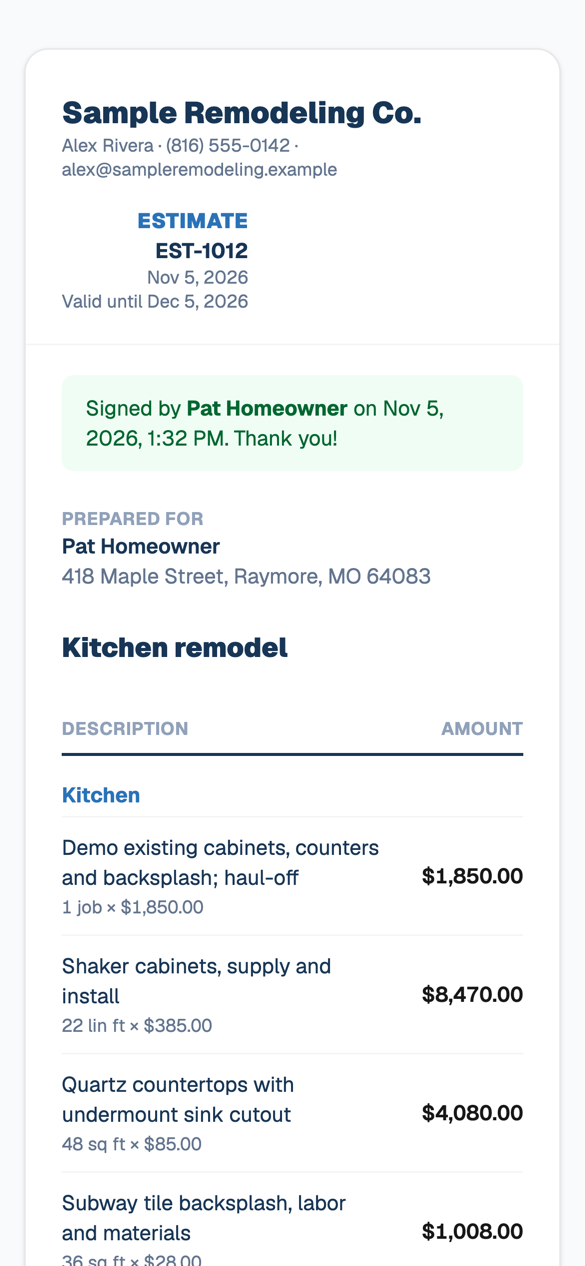
- You take a deposit or bill in draws. New estimates start with your default schedule (like 30% deposit, 70% final, or 10/40/30/20), the client agrees to it when they sign, and each payment becomes an invoice in one tap that picks up any approved change orders, so the final invoice holds no surprises.
- You want proof of every signature. Each signature records the signer's consent, time, IP address, device, and a fingerprint of exactly what they signed, with a certificate page on the PDF.
- You manage subcontractors. BuildSuite Invoicing works alongside BuildSuiteCrew, which tracks your subs' COIs, licenses, and W-9s with expiration alerts.

Where Joist is still the better fit (for now)
- You need clients to pay online today. Joist has built-in card and bank payments. BuildSuite Invoicing tracks payments you receive (check, Zelle, ACH, card, cash), and online payments are planned but not live yet.
- You rely on QuickBooks sync. Joist syncs on its Elite plan; BuildSuite Invoicing doesn't sync with QuickBooks yet.
- You offer customer financing. Joist does; BuildSuite Invoicing doesn't plan to for now.
- You mostly do small, one-visit jobs. If you rarely need change orders or draws, Joist's lower plans may be all you need.
Switching from Joist
Switching mostly means bringing your customers and keeping your numbering. In BuildSuite Invoicing you can set your next estimate, invoice, and change order numbers to continue from your last Joist ones, so your records stay in sequence. Your logo and terms carry onto every PDF, email, and the page your client opens.
The bottom line
If your work is mostly quick jobs and you need online payments now, Joist is a strong, mature choice. If your jobs run on signed estimates, change orders, and progress draws, and you want all of that on one inexpensive plan, BuildSuite Invoicing was built for exactly that.
BuildSuite Invoicing is available now in the BuildSuite HQ app for iPhone and Android: 14-day free trial, then $12.99/month. Get it on the App Store or Google Play, or see the full feature list. Not ready to switch? Our free invoice, estimate, and change order templates work with any app.
Joist is a trademark of its owner. BuildSuite isn’t affiliated with or endorsed by Joist. Comparison based on Joist’s public pricing page as of October 2026; plans and prices change, so check joist.com for current details.